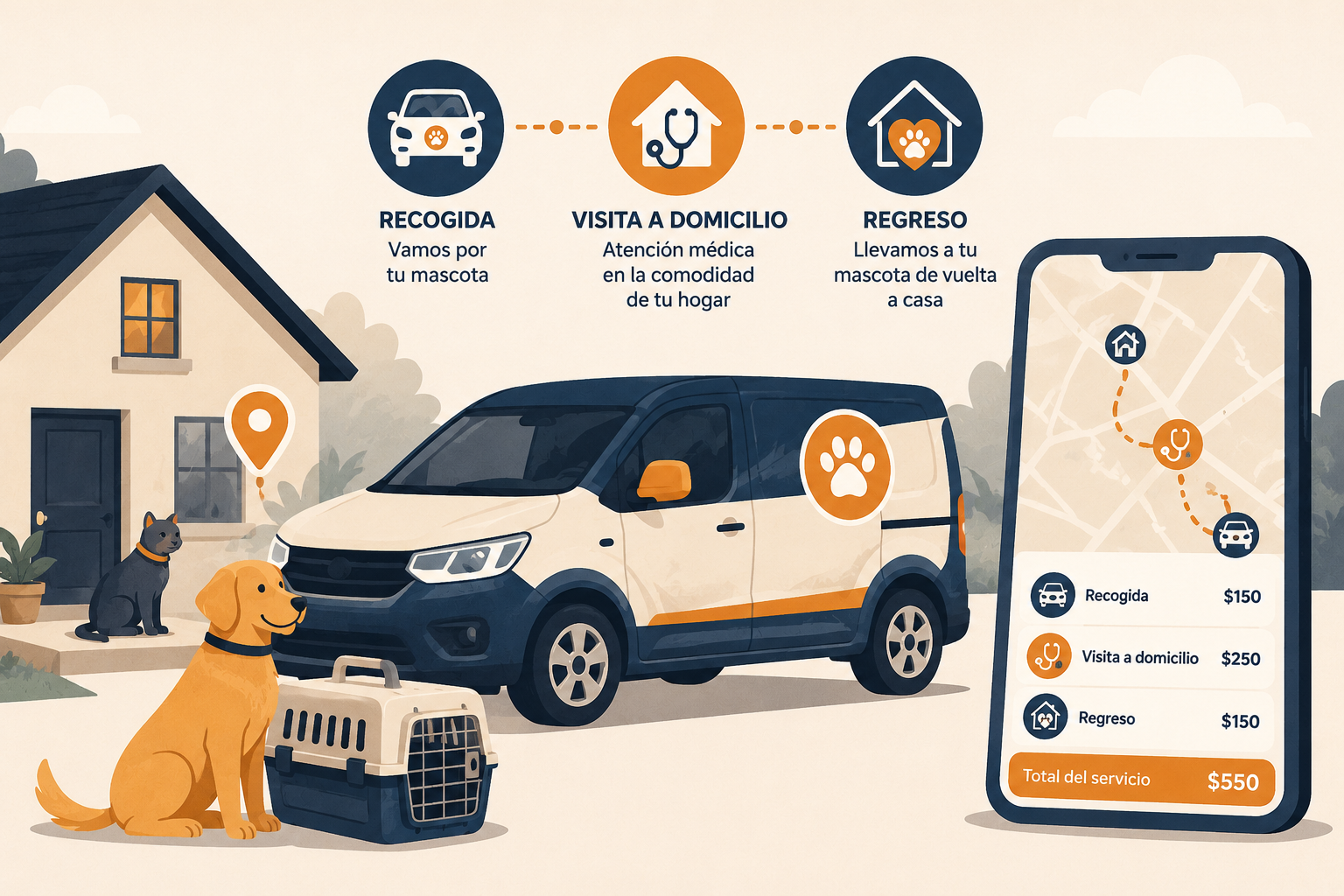
Home Service Fees: Get Paid Automatically for Every Home Visit, Pickup, and Dropoff
Clinics doing home visits — or now offering to pick up and drop off a pet so the actual work happens back at the clinic — are doing real work before the appointment even starts: driving, gas, a staff member's time. That cost is easy to just absorb, visit after visit, because charging for it consistently means someone has to remember to add a fee, work out how far the customer is, and get the number right — every single time. Most clinics either skip it entirely or charge it unevenly depending on who's at the front desk that day.
Übik's new Home Service Fees close that gap: your clinic sets the pricing once, and every home visit, pickup, dropoff, or pickup-and-dropoff appointment gets billed for it automatically — correctly, every time.
💡 What Are Home Service Fees?
A simple dropdown right under Status on the appointment — None, Home Visit, Pickup, Dropoff, or Pickup & Dropoff — is all staff ever touch. Whichever one they pick, Übik checks your clinic's pricing for that specific service, calculates the charge, and adds it to the bill immediately. There's no service to create or attach by hand, and nothing to remember.
Pricing is configured once in Account Settings, with two ways to charge:
- Flat fee — one set price per visit, pickup, dropoff, or both.
- Distance-based — a rate per mile or kilometer, calculated automatically from the clinic's address to the customer's, using geocoding your clinic never has to think about.
Once it's on the appointment, it behaves like any other charge — visible on the bill, taxed correctly per your settings — with one important difference: only an admin can remove it. Front-desk staff can't quietly waive it or edit the price down, so the fee your clinic decided on is the fee that actually gets charged.
🧾 Home Service Fees at a Glance
| Action | What Happens |
|---|---|
| Staff selects Home Visit, Pickup, Dropoff, or Both | The right fee is calculated and added to the bill automatically — nothing else to do |
| Clinic wants a simple flat rate | Set one dollar amount per service type in Account Settings |
| Clinic wants mileage-based pricing | Set a rate per mile or km — Übik works out the distance for you |
| A customer needs both pickup and dropoff | Priced as its own configurable rate, or automatically as pickup + dropoff combined — your choice |
| Staff tries to remove or discount the fee | They can't — only an admin can, so pricing stays consistent clinic-wide |
| The same appointment gets edited again later | Übik won't add a second fee, and won't fight an admin who already removed one |
⚙️ Why It Matters
⏱️ 1. It Saves Time
No one has to stop and think about it. Reception doesn't look up how far a customer lives, doesn't do mental math on gas money, and doesn't create or attach a special "travel fee" by hand. Pick the option, and the fee's already on the bill.
💰 2. It Recovers Costs You're Probably Already Losing
Every home visit and every pickup/dropoff has a real cost behind it — time on the road, fuel, a staff member not seeing another patient. Without a system that charges for it automatically, that cost quietly comes out of your margin, visit after visit — especially on the days your busiest front-desk person isn't the one checking someone out.
🤖 3. It's Fully Automated
The fee is calculated and attached the moment the selection is made — no manual step, no service to look up in a catalog. For distance-based pricing, Übik geocodes the clinic and customer addresses once and reuses that going forward, so the math happens instantly without anyone touching a map or a calculator.
📏 4. It Enforces Your Own Standards
Pricing lives in one place — your account settings — not in each staff member's head or judgment call. Every technician, every receptionist, every shift charges the exact same amount for the exact same service, and only an admin can override that. The fee your clinic decided on is the fee that actually gets charged, every time.
🗺️ 5. It's Easy to Plan and Route
Every pickup, dropoff, and home visit — not just visits — now shows up together in the Home Visit portal, with a map view and one-click directions to each stop. Front desk can search by date, status, or customer and see, at a glance, everywhere a technician needs to go today, whether that appointment was booked by staff or through your online scheduling page.
🛠️ How to Turn It On
This takes a couple of minutes, and only needs to be done once by an admin.
- Click your clinic's name in the menu at the top of the screen. This opens your account's settings page — you'll see "Edit account" at the top.
- Scroll down and open the "Home Service Pricing" section. It's a little way down the page, right after "Business Hours."
- Pick Miles or Kilometers. This is just the unit Übik will use for any fee you price by distance — pick whichever your clinic normally uses.
- For each type you want to charge for — Home Visit, Pickup, Dropoff, and Pickup & Dropoff — turn its switch on. They're independent, so you can charge for some and leave others off.
- Choose how that one gets priced:
- Flat fee — type in one dollar amount. That's what gets charged every time, no matter how far the customer is.
- Distance-based fee — type in a rate per mile (or kilometer) instead. Übik works out how far away the customer actually lives and does the math for you.
- If you charge tax on it, enter that rate too.
- Click Save at the bottom of the page. That's the whole setup.
From that point on, whenever staff creates or edits an appointment and picks Home Visit, Pickup, Dropoff, or Pickup & Dropoff from the menu right under Status, Übik handles the rest on its own: it looks up the price you set, works out the distance automatically if that one's priced by distance, and adds the charge to the appointment right away — before anyone even finishes saving it. No one has to remember to do it, look anything up, or do the math themselves.
📈 A Real-World Example
A clinic sets a flat $15 Home Visit fee, and a $2 per mile rate for Pickup & Dropoff. A client 12 miles out books a pickup-and-dropoff for their cat's nail trim. The moment staff selects "Pickup & Dropoff" on the appointment, Übik calculates the distance, adds a $24.60 fee to the bill, and shows exactly how it was calculated — 12.3 miles — right in the charge details.
No one had to look up an address, run a mental calculation, or remember that this client lives further out than most. It just happens, correctly, every time.
🚀 Fees That Take Care of Themselves
Home Service Fees are built to disappear into the workflow your team already uses — one selection on the appointment, and the right charge is already there. What you get in return is real: no more forgotten travel fees, no more inconsistent pricing depending on who's working the front desk, and a clear, automatic way to make sure the cost of going to your customers — or bringing their pets to you — is one your clinic actually gets paid for.
Schedule a Free Demo or Send Us a Message
We'd love to show you how Übik can help your clinic charge accurately and automatically for home visits, pickups, and dropoffs.
📞 WhatsApp: 1-612-383-6374 🌐 Website: goubik.com 📧 Email: [email protected] 👉 Or send us a message on Facebook