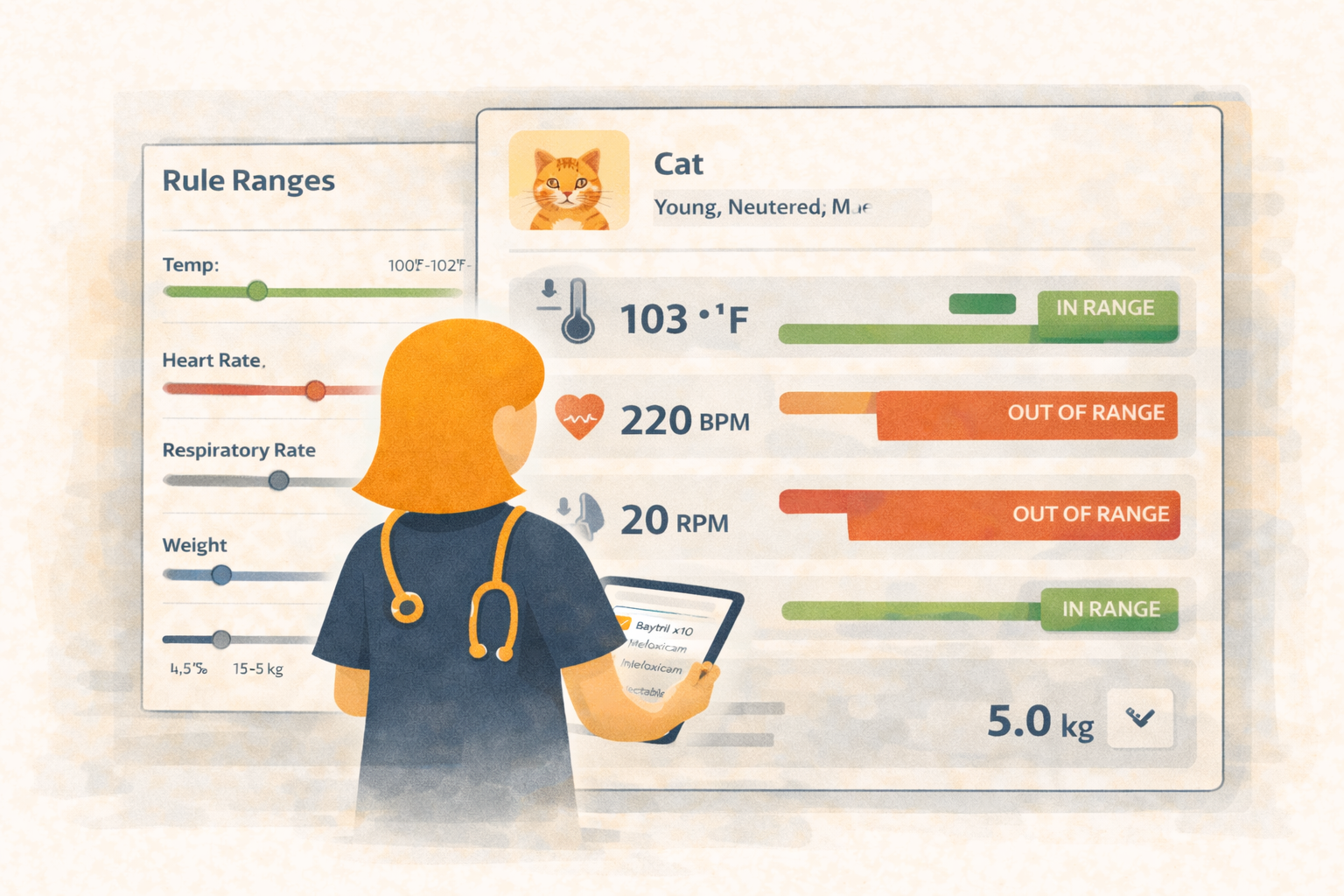
Keep Vitals Safe and Clear with Configurable Reference Ranges
You shouldn’t have to wonder if a 39.5°C temp is normal for that 8-year-old dog. With Übik’s new Vitals Reference Ranges, clinics define the ranges once, and the chart immediately guides every entry with inline bars, color cues, and rule details on hover.
No more guessing. No more “is this high for this species?”. Just fast, confident data entry.
🩺 What Vitals Reference Ranges Are
They’re simple clinic rules that set healthy “green zones” for temperature, heart rate, respiratory rate, and blood pressure. You can make them as specific as you like:
- By species (dog, cat, bird, reptile, rabbit/ferret, or “Any”)
- By age band (kittens vs. adults vs. seniors)
- By sex (optional)
Keep it broad to start, then refine over time.
⚙️ Where You Configure Them (Account Settings)
On Account → Settings → Vitals reference ranges, add rules in a compact card layout:
- Choose Species, optionally Sex, and an Age range (years)
- Enter healthy min/max for Temperature, Heart Rate, Respiratory Rate, and Systolic/Diastolic BP
- Copy a rule to adjust it for seniors or juveniles
- Edit or remove rules anytime—your list lives with the account
If you already have clinic guidelines, enter them once and reuse everywhere.
👀 How It Shows Up in the Chart
When you enter vitals on the appointment chart, each field gets a range bar right beneath the input:
- Green bar when the value is in range, red bar when it’s out
- A small marker stays inside the bar, clamped left/right even if the value is far outside
- Hover the bar to see which rule applied (species/sex/age) and the exact min→max used
No extra clicks, no modal hunting—guidance is inline and instant.
🧭 How Rules Match a Patient
Übik automatically picks the best-fitting rule for the patient based on species, age, and sex (if you set it). If nothing matches, the bar stays neutral gray and still shows your entered value.
🐕 Example: Senior Dog Check-In
You’ve configured:
- Dog, Any sex, 8–20 years: Temp 38.1–39.2°C; HR 60–120 bpm; RR 16–28; BP 100–150 / 60–95
- Dog, Any sex, 1–8 years: Slightly higher normal HR and RR
During intake:
- You type 39.5°C. The bar turns red, marker to the right, hover says “Dog • Any • 8–20y — 38.1 → 39.2°C.”
- You type 92 bpm HR. The bar stays green; hover shows the senior rule.
- You record RR 30. It nudges red, reminding you to recheck after the exam or note context (anxious, panting).
You log an objective, consistent snapshot without stopping to look up ranges.
🐈 Example: Cat Kitten vs. Adult
Rules:
- Cat, Any sex, 0–1 year: HR 140–220; Temp 38.1–39.4°C; RR 20–40
- Cat, Any sex, 1–10 years: HR 140–200; Temp 38.0–39.2°C; RR 20–36
On a 6-month-old kitten:
- HR 210 stays green (kitten range)
- Temp 39.3 shows green
- RR 42 turns red, hover reveals kitten rule but warns you’re above the band
No manual cross-checking; the chart keeps you honest.
💡 Tips for Great Ranges
- Start broad (species + age bands) before adding narrow rules.
- Keep diastolic/systolic ranges conservative; err on “flag sooner.”
- Review out-of-range trends monthly—adjust bands if your population skews (e.g., many brachycephalics).
- For exotics, set a safe baseline and refine as your team aligns on norms.
Start Using Vitals Reference Ranges Today
Keep every chart safer and clearer with in-line guidance your team can trust.
Schedule a free demo or send us a message — we’d love to show you how it works.
📞 WhatsApp: 1-612-383-6374
🌐 Website: goubik.com
📧 Email: [email protected]
👉 Or send us a message on Facebook