Add services, medications, and clear prescription instructions
Review the item, inventory amount, billing mode, instructions, and printed prescription before handing it to the owner.
Reviewed against current application source. Screenshots use fictional local training data.
Understand the workflow
#Items, Services, and Charges connects the clinical plan to the appointment’s bill and stock activity. A medication name alone is not a complete prescription: confirm the selected variant, the amount supplied, and the instructions the owner will receive. The clinician remains responsible for the treatment decision; this lesson teaches how to record an already approved plan.
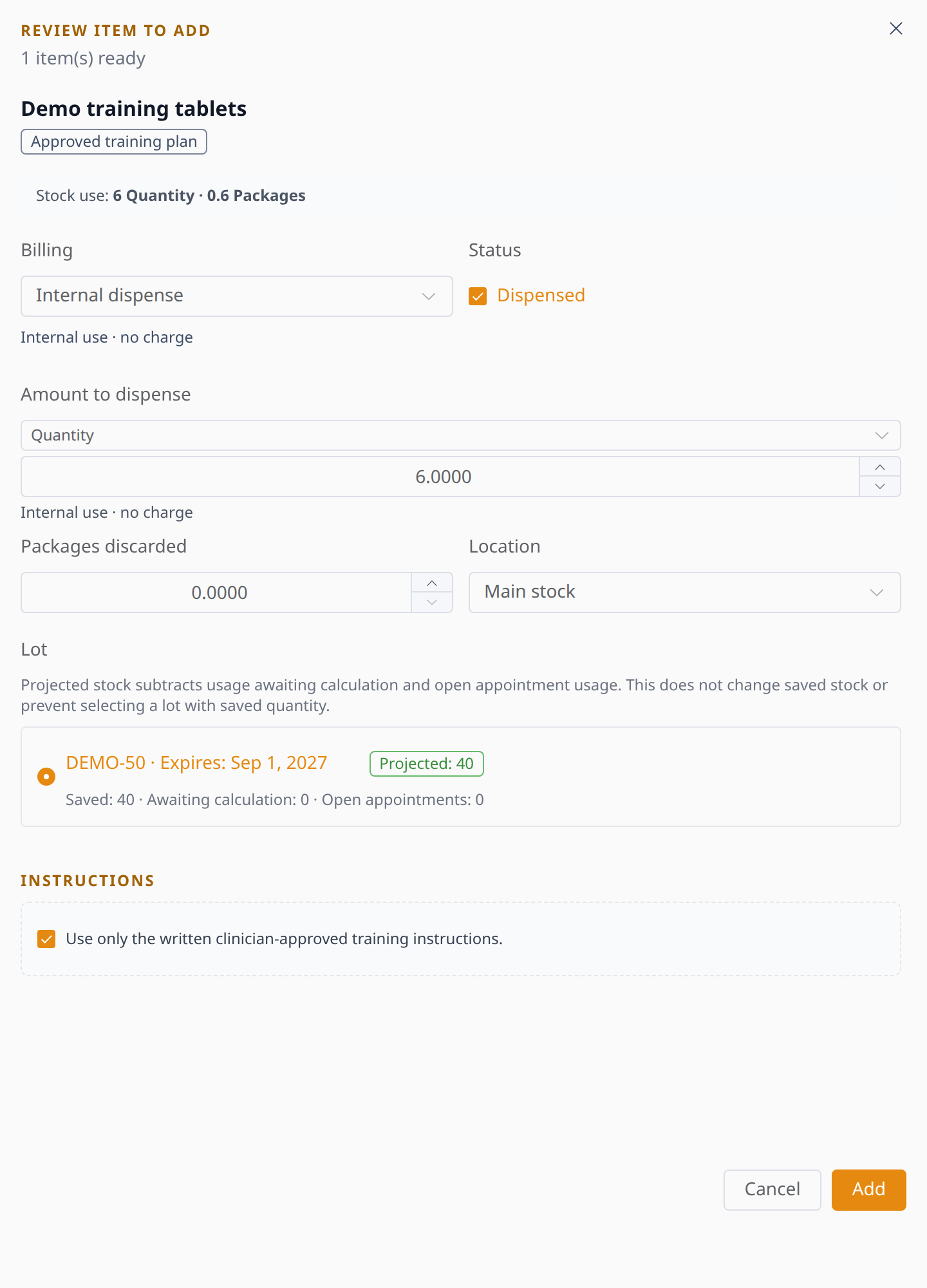
Billing mode changes the meaning of the item. Billable items belong to the customer’s charges. Internal use deducts clinic stock without a customer charge. External supply does not move clinic stock. A service also has its own Rendered status. Review these distinctions before confirming a batch of products or services.
Before you start
#- Open the correct patient appointment and confirm the approved clinical plan. Check the catalog variant and unit with Inventory if the product name or package meaning is unclear.
- Have the required permissions for dispensing or internal use. Review existing items first so a template, diagnosis recommendation, or associated selection does not duplicate work already present.
Do it in Übik
#- In Items, Services, and Charges, add the required product or service. Review associated items and choose the intended inventory variant when a selection is requested.
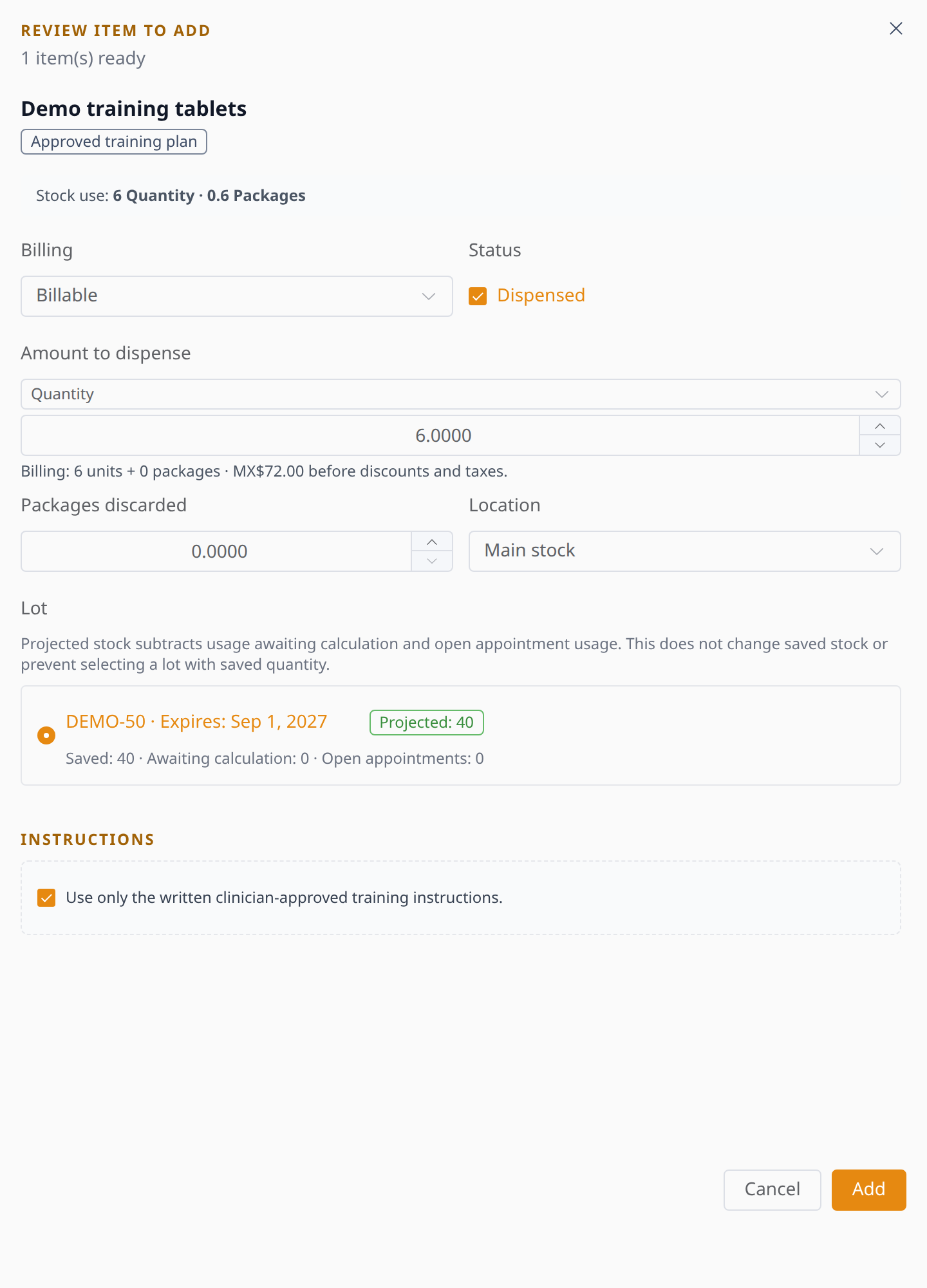
- In the item setup review, confirm the billing choice and whether the item is included. Check Dispense amount, the interpreted quantity or packages, and the Effective stock use preview.
- For a stock item, review location and lot where offered. Mark Dispensed only when that reflects the actual handoff or use; for services, review Rendered.
- Read every instruction selected from the configured templates. Complete the variable values and review any associated instructions. Do not substitute a stock amount for an unreviewed dosing instruction.
- Confirm the selected items, then inspect the saved appointment table for quantity, status, and charges. Reopen an item if you need to verify its details.
- Use the appointment print actions for Prescriptions and review the actual document before printing or sharing. Check patient identity and the complete owner-facing wording.
Try a fictional case
#For fictional patient Luna, the clinician has already approved a take-home item with written directions. The selected catalog unit is one tablet, and the supply amount is six tablets. The employee enters six inventory units and reviews the saved directions separately.
A clinic-only consumable used during the visit is Internal use rather than a second take-home sale. An owner-supplied item is not silently treated as clinic stock. The team checks the bill and inventory interpretation before handing the prescription to Reception.
Avoid common mistakes
#- Selecting the first search result without checking the variant can record the wrong size or strength even when the product names look similar.
- Internal use and External supply have different stock effects. Choose the one that describes the real source of the item.
- A default instruction or recommendation is a starting point. Review its variables and clinical suitability before providing it to the owner.
Troubleshoot the result
#- If a dispensing or internal-use option is disabled, ask an authorized administrator to review the relevant permission rather than changing billing mode to bypass it.
- If the stock preview is unexpected, check the unit, package setup, selected variant, lot, and location before saving. Ask Inventory to review the catalog configuration when needed.
- If the saved prescription, item amount, stock movement, or charge differs from the reviewed selection, retain the record and report the discrepancy through Help before adding another copy.
Check your understanding
#Complete the lesson
#Saved only in this browser. This is a personal practice checklist, not a clinic training record.
Related guides
- Review history and save a useful clinical chart
- Record laboratory panels and verify the final report
- Technician basics: open a visit, record care and hand off
- Public manual
Source: Add services, medications, and clear prescription instructions · Revision 3