Record dispensing and internal clinic use
Choose the right consumption workflow, review quantities and verify that stock was used once.
Reviewed against current application source. Screenshots use fictional local training data.
What you will learn
#Clinical dispensing and internal use record why stock left inventory. Internal Use is for clinic consumption that should not create a customer charge. Scanning an item opens review rather than approving a deduction. Recorded stock and estimated availability can differ while normal clinical consumption awaits processing.
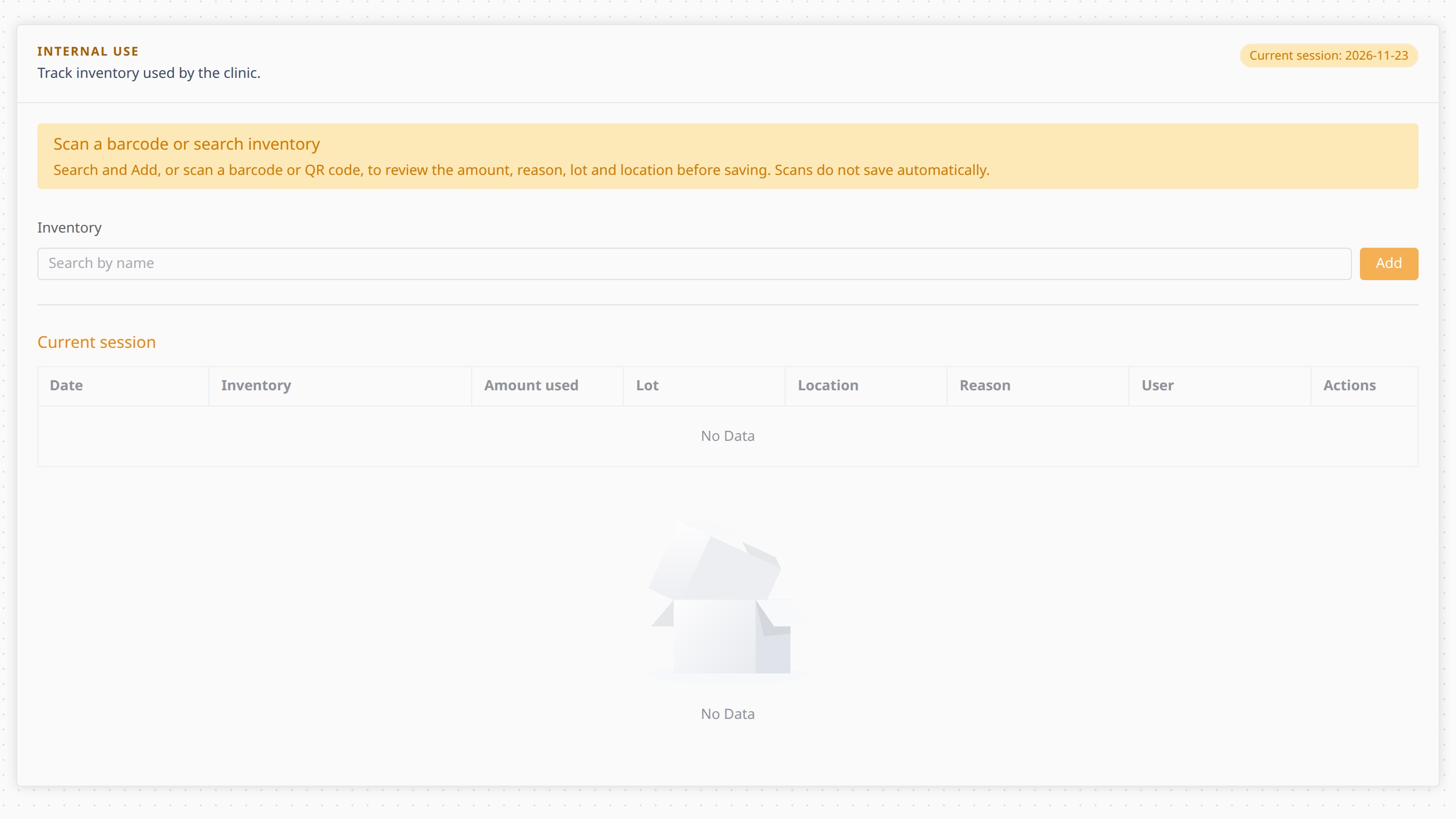
From the dashboard, open the left navigation and click Accounting > Internal Use, which opens /inventory/internal-use. Use it to deduct stock that was used by the clinic and should not create a customer charge. Search and click Add, or scan the product, to open review. Choose Quantity, Packages or Loose units + packages, review the total, reason, lot and location, then Save. Scans do not save immediately; Cancel records nothing. This records an internal dispense.
- Separate patient charges from internal consumption.
- Interpret quantity/package entry once.
- Review reason, lot and location before saving.
Before you start
#Confirm the product, unit and relevant dispensing permissions. Check whether the consumption belongs to a patient appointment or clinic internal use.
For lot-tracked products and enabled locations, identify the actual batch and shelf. Use a fictional example to practice; quantities here teach software arithmetic, not medication dosing.
Do it in Übik
#- For care charged or recorded on an appointment, use the item/dispensing workflow for that appointment. For non-charge clinic consumption, open Accounting → Internal Use.
- Search or scan the product and choose Add to open review. Verify the product presentation.
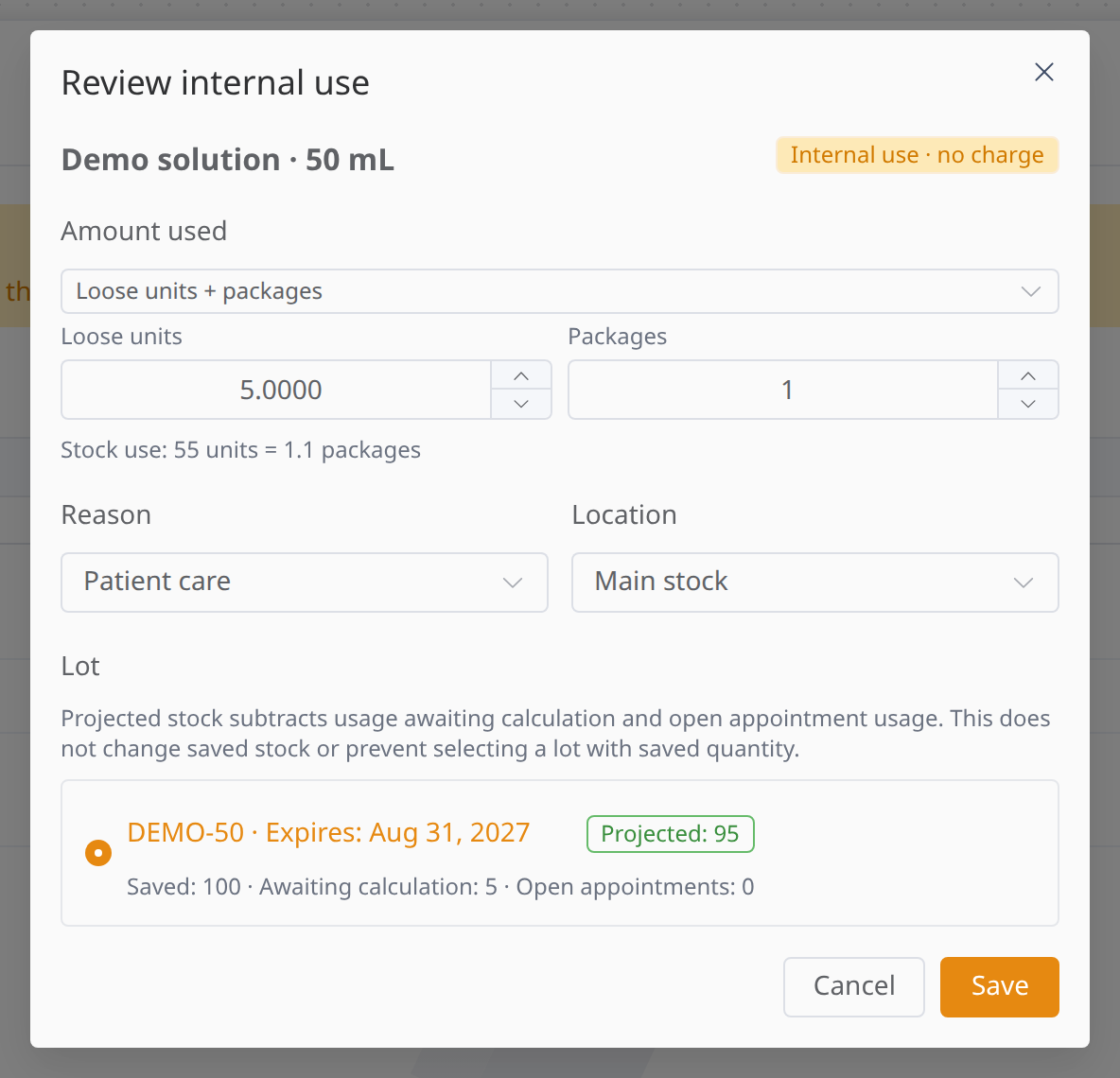
- Choose Quantity, Packages or Loose units + packages when supported. Review the resolved total and remaining stock.
- Select the actual reason, such as Patient care, Sample, Staff use, Training or an accurate custom reason. Choose lot and location when required.
- Save once after review or Cancel to record nothing.
- Review the current-session table or Internal Use Report and the item’s stock/history. Use the supported correction/return action for an eligible saved internal dispense; do not compensate with a second unrelated movement.
Work through a clinic example
#Training staff use 1 loose gauze unit and 2 linked packages of 10. The resolved internal-use amount is 21 units. It is not a sale and should not create a customer charge.
A separate prescription already recorded on a patient appointment must not also be entered as Internal Use merely because its scheduled stock adjustment has not yet posted. Check estimated availability and the original record first.
Change the numbers and check the result
Practice only · fictional examples. Does not change records or approve movements or payments. This simplified calculation excludes taxes, other movements and location allocations.
Common mistakes
#- Deducting the same clinical use through both an appointment and Internal Use.
- Using a loss reason for an identifiable legitimate internal dispense.
- Confusing package count with inventory-unit quantity.
Troubleshooting and recovery
#If strict dispensing prevents negative stock, review the actual balance, pending usage, receipt and lot/location assignment. Do not create a fake receipt or use another location just to bypass the warning.
If a save fails, retain the review and check whether a row already exists in the session/history. Only retry once the outcome is understood.
Check your understanding
#Ready to use this workflow
#Saved only in this browser. This is a personal practice checklist, not a clinic training record.
Related guides
- Related workflow guide
- Count inventory, investigate differences and audit safely
- Handle losses, expiration and inventory returns
- Public manual
Source: Deduct inventory for internal use · Revision 2