Why inventory counts do not add up: read History
Trace movements, before/after balances, pending usage and count boundaries before correcting a discrepancy.
Reviewed against current application source. Screenshots use fictional local training data.
Investigate before correcting a count
#Inventory History explains recorded movements; it is not a second physical count. Start with the same item, clinic, unit, lot, location and time boundary. Separate saved stock, pending stock deductions and open-appointment usage before deciding a balance is wrong.
Record the discrepancy
#Write down the recorded quantity/packages and physical count with the count time. Preserve lot labels and location scope. Ask whether a receipt, dispense, transfer, return or count happened during counting. Avoid posting an Audit merely to hide an unexplained difference.
Open and filter History
#- Open Inventory → Manage, find the exact item and open its History through Edit → History or the item viewer. Review the relevant time period, then use the native event-type filters.
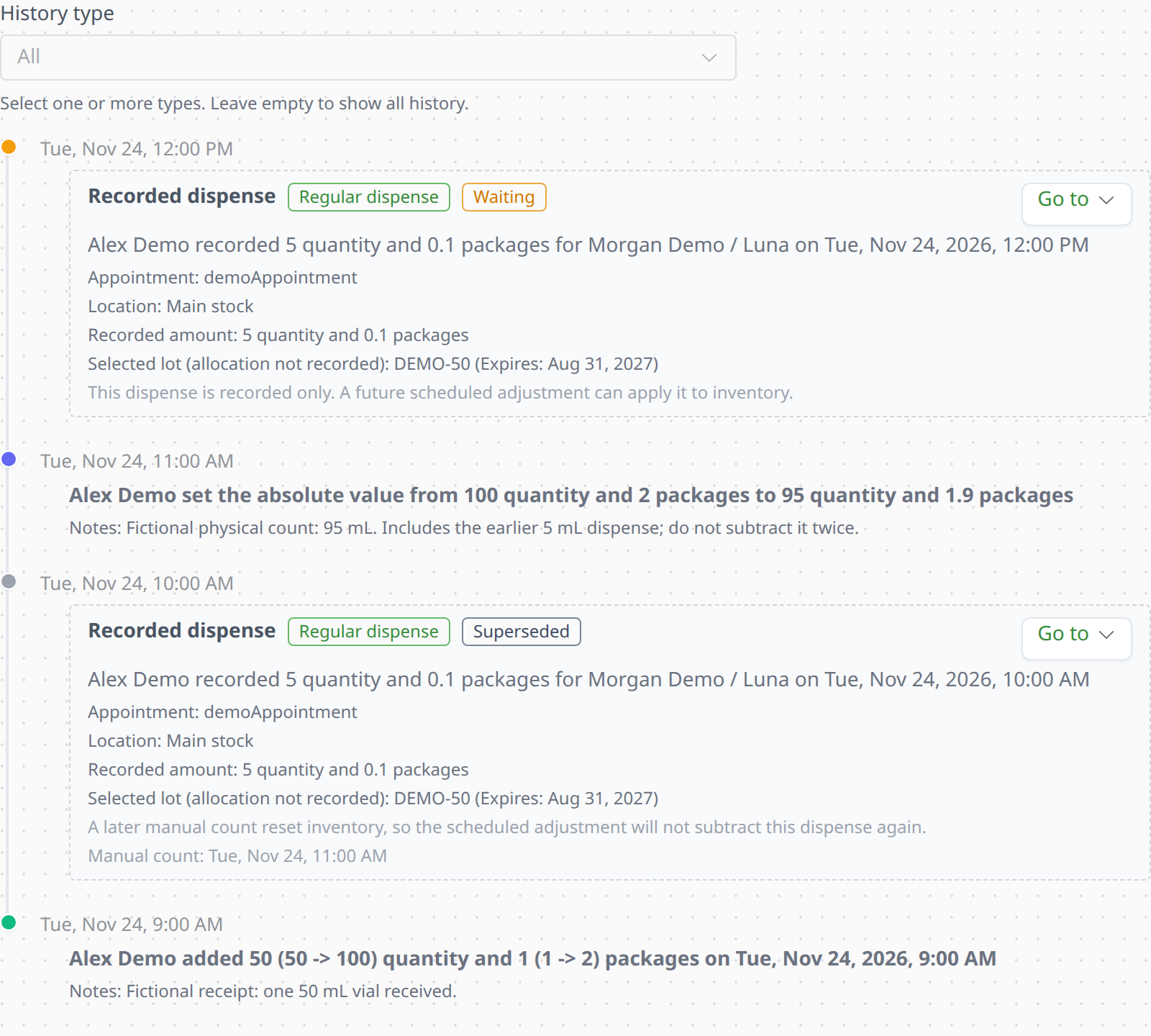
- Read the event time, actor, reason/notes, previous and new quantity/packages. Distinguish receipts, manual counts, losses, expiry, dispenses, returns, transfers and package synchronization.
- Follow original references and saved movement details where available. Read both counters and the saved interpretation; do not multiply an old package amount by today’s changed package size.
Read a row as evidence
#| What you see | How to interpret it |
|---|---|
| Previous → new balance | Stock delta is new minus old. A final Audit count is different from an incoming Add quantity. |
| Posted or pending dispense | Posted impact is already reflected; pending usage explains an estimate. Check status before deducting anything again. |
| Superseded, skipped or no stock impact | Do not count every displayed line as another stock deduction; inspect its explanation and later count boundary. |
| Package synchronization | May align linked package equivalents without additional quantity consumption. Read saved before/after values. |
Saved, estimated and projected stock
#Scheduled estimate = saved quantity minus pending deductions. Projected stock additionally subtracts open-appointment usage. A difference between these figures may be explained by timing rather than loss. Check the same scope and freshness of the loaded data.
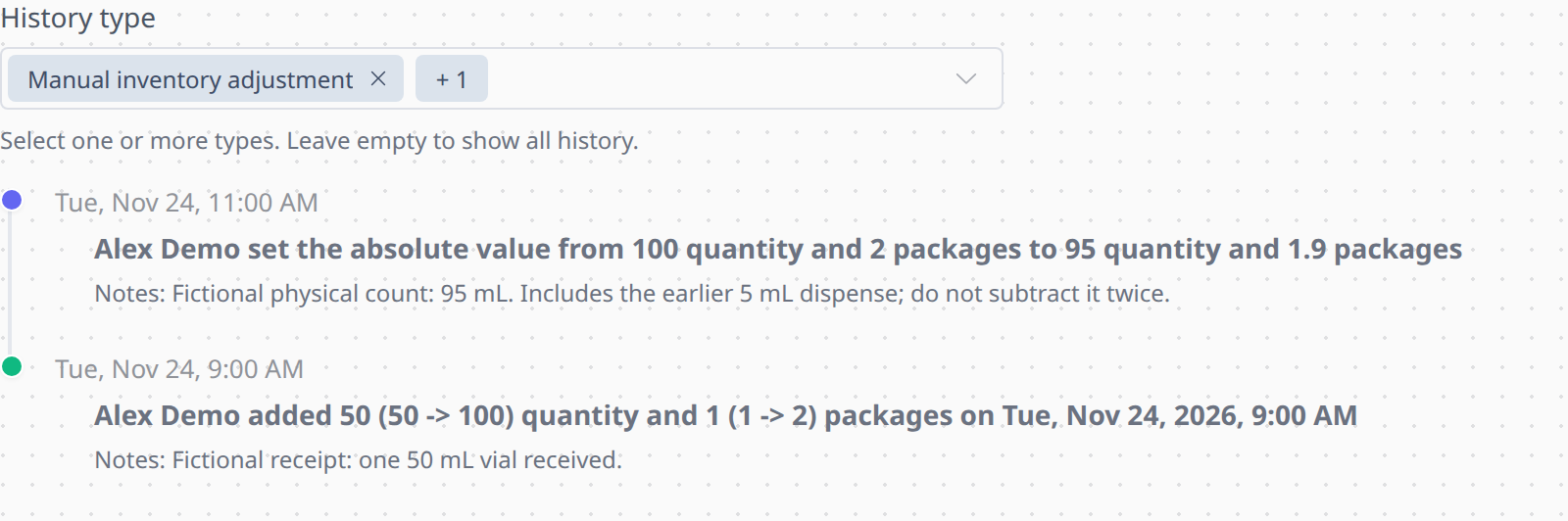
A later manual count covers earlier dispensing within its scope: whole-item counts and selected-lot counts have different boundaries. Earlier covered usage must not be deducted again. A receipt is not a count cutoff. Review pending usage without lots before a lot count.
Trace a fictional balance
#An item has 100 units saved. A posted receipt adds 20 and posted usage removes 10: saved stock becomes 110. Another 5 units are pending, so the scheduled estimate is 105; a further 2 units on open appointments makes projected stock 103. Those four numbers answer different questions.
If physical stock is 105, investigate the pending 5 before recording a loss. If a reviewed count is needed, agree its scope/time and verify the resulting History, lot and location balances after saving.
Common mistakes
#- Adding every History line as if each were a new physical movement.
- Counting the same pending dispense again after a later covering Audit.
- Repairing a location mismatch by changing a correct clinic-wide total.
When the evidence does not reconcile
#Refresh and compare exact references, timestamps, units, linked packages, lots and all locations. Preserve receipts, transfer/return records and errors. Ask the Inventory Lead or Help to review an unexplained difference; History review does not authorize Undo, deleting evidence, running a repair or retrying an uncertain batch.
Check your understanding
#Ready to apply this lesson
#Saved only in this browser. This is a personal practice checklist, not a clinic training record.
Related guides
- Count inventory, investigate differences and audit safely
- Choose inventory units and package settings
- Manage lots, expiration dates and locations
- Public manual
Source: Why inventory counts do not add up: read History · Revision 2