Handle losses, expiration and inventory returns
Record the actual reason stock left and distinguish a stock correction from customer credit or money.
Reviewed against current application source. Screenshots use fictional local training data.
What you will learn
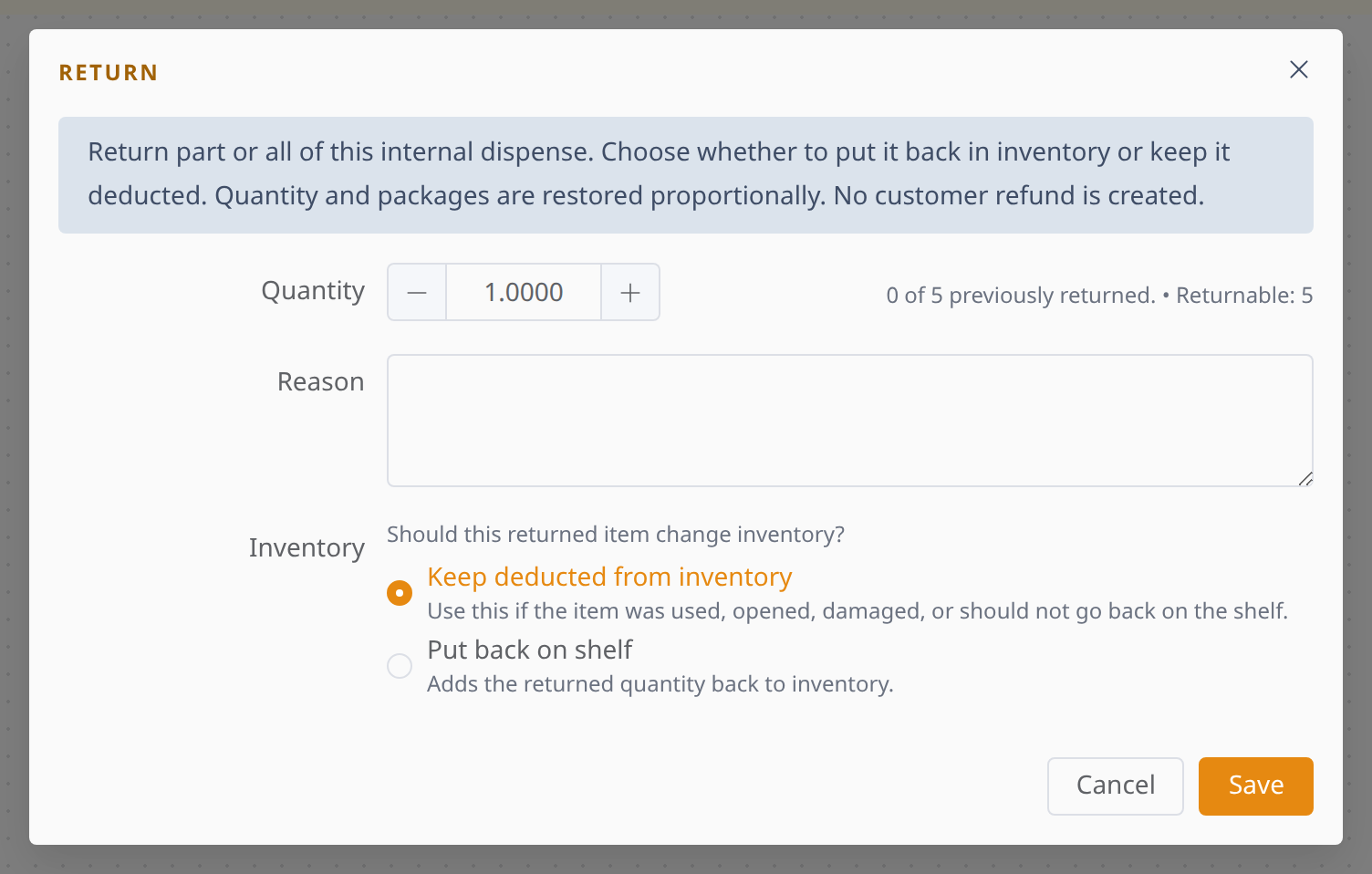
#A loss describes expired, broken or missing stock. A supported internal-dispense return reverses eligible unused internal consumption. Customer returns, credit and refunds belong to their financial workflow and do not automatically mean a product can be placed back on a usable shelf. Choose the action that matches the event.
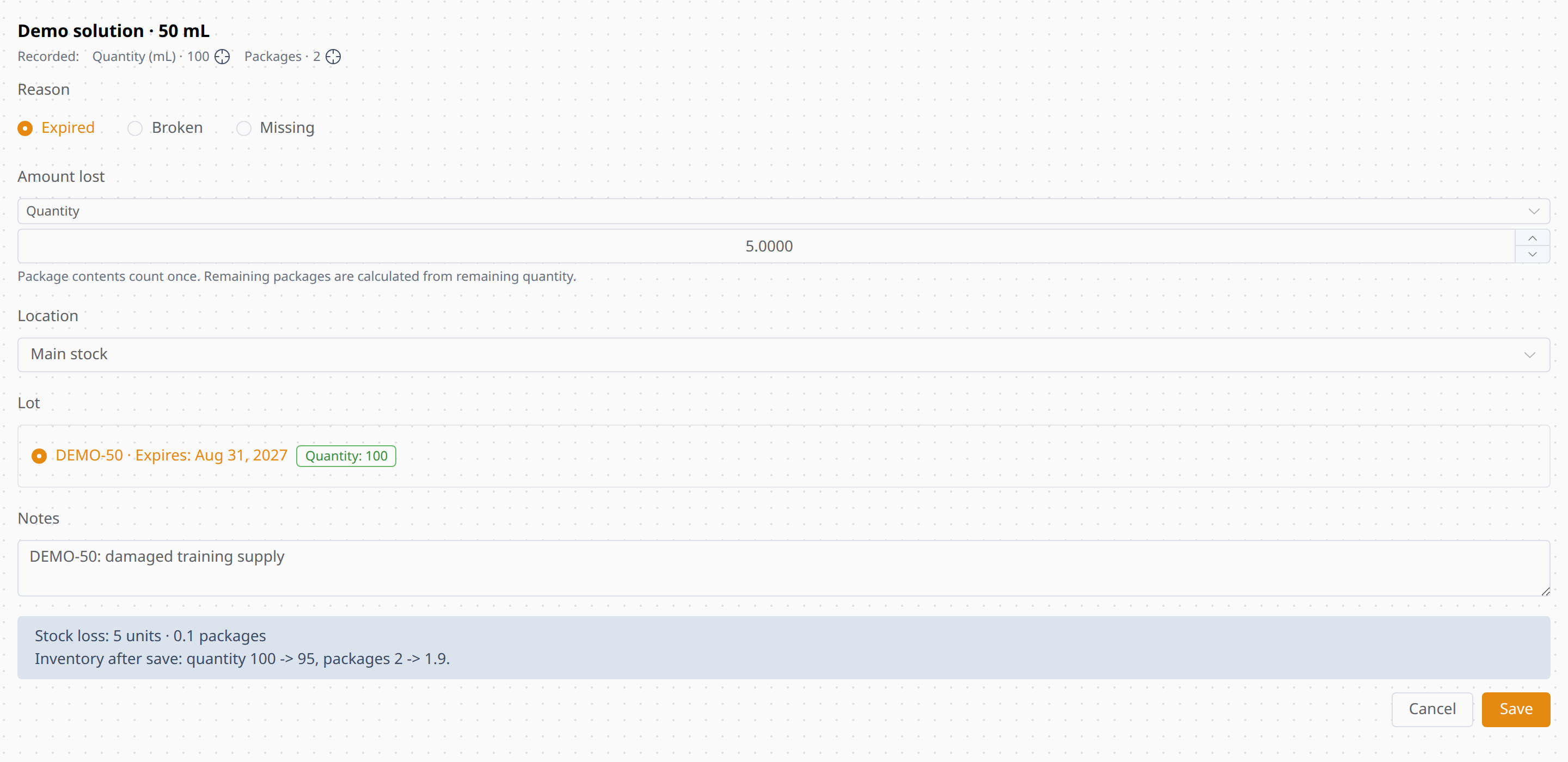
Choose Quantity, Packages or Loose units + packages when reporting inventory loss. The compact selector sits above the amount inputs in both Manage → Report loss and the standalone loss page. With linking enabled and 4 units per package, losing 2 packages removes 8 units; losing 1 loose unit plus 2 packages removes 9 units once. Review the loss and remaining balances, reason, notes, lot and location, then Save. Cancel records nothing. Independent counters stay separate. Linked remaining packages sync from remaining quantity, with any correction to an old mismatch noted in History. Package setup changes require reopening the review. Package modes require a valid Quantity per package when linking is enabled. Lot-tracked unit losses require an existing lot with enough units. Package-only loss with linking off does not consume lot units. Report loss requires Can dispense permission. Failed saves keep your draft; do not repeat a successfully saved loss. With locations enabled, the selected location must have enough item and selected-lot units, and enough independent packages. A rejected location balance check changes no stock. Choose the actual location or review its balance; do not report the same loss elsewhere merely to bypass the warning.
- Use a factual loss reason.
- Review linked amounts and lot/location balances.
- Separate stock return, credit and refund.
Before you start
#Report loss requires Can dispense permission. Confirm the item and physical condition, and follow the clinic’s safety policy before returning anything to usable stock.
Review the original dispense or sale when processing a return. Preserve its evidence and avoid recording an independent Add just to offset an unexplained transaction.
Do it in Übik
#- For expired, broken or missing stock open Inventory → Manage → Report loss, or the standalone loss page.
- Choose the actual reason and enter Quantity, Packages or Loose units + packages according to the product configuration.
- Select the existing lot and actual location where required; confirm sufficient balances. Add notes that explain the event without unnecessary personal data.
- Review the amount to remove and remaining balances. Save once or Cancel to leave stock unchanged.
- For unused internal consumption, open its saved row and use the supported return action if eligible. Review what that action will restore.
- For customer returns, follow the original sale/credit/refund workflow and independently confirm stock handling. Verify History and the financial record rather than assuming one completed the other.
Work through a clinic example
#A linked package contains four units. One broken loose unit plus two broken packages removes nine units, once. If recorded stock was 30, the simple resulting balance is 21 before other movements.
A customer’s financial credit for an unsuitable item is a different event. It is not permission to mark an unsafe or expired product as usable stock.
Change the numbers and check the result
Practice only · fictional examples. Does not change records or approve movements or payments. This simplified calculation excludes taxes, other movements and location allocations.
Common mistakes
#- Using a loss to hide a known sale or an unrecorded internal dispense.
- Choosing another lot/location to bypass insufficient stock.
- Assuming customer credit is a cash refund or automatic stock restoration.
Troubleshooting and recovery
#If package setup changed, reopen and review the amount. If a required lot or location lacks enough stock, recount and investigate the real distribution; do not move the loss to a convenient unrelated location.
Failed saves keep the draft. Check History and the saved row before repeating a loss or return, and contact Help when the outcome or eligibility is unclear.
Check your understanding
#Ready to use this workflow
#Saved only in this browser. This is a personal practice checklist, not a clinic training record.
Related guides
- Related workflow guide
- Record dispensing and internal clinic use
- Transfer inventory between branches and locations
- Return a product from the original sale
- Public manual
Source: Report inventory loss with packages and loose units · Revision 3