Receive purchased stock and partial deliveries
Review what physically arrived, assign its lot and location, and verify the saved movement.
Reviewed against current application source. Screenshots use fictional local training data.
What you will learn
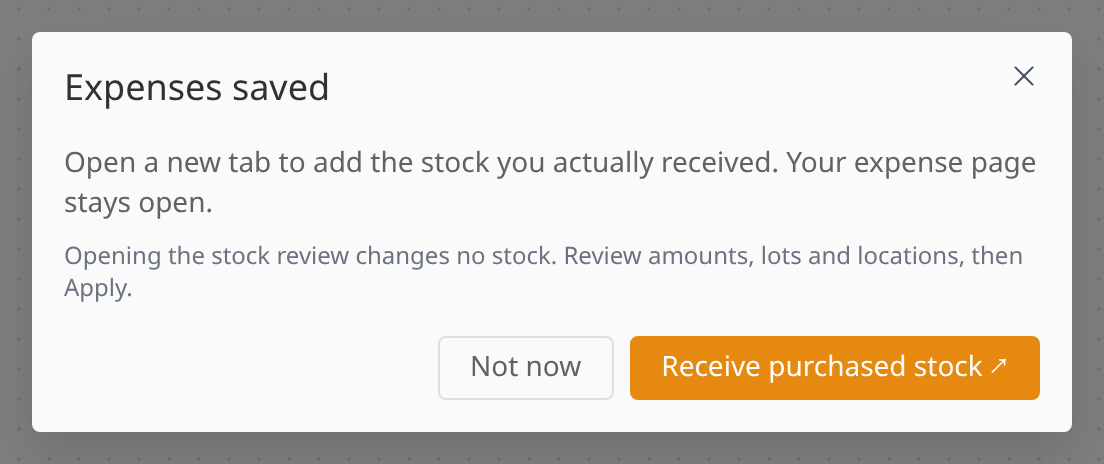
#Saving an invoice or paying a supplier does not confirm stock receipt. Receive purchased stock opens a separate Adjust tab containing suggested incoming amounts. Opening the tab changes no stock. Only review and save what actually arrived, then verify balances and History.
- Separate invoice amounts from incoming stock.
- Review lots, expiry and locations.
- Handle incomplete or uncertain receipt outcomes safely.
Before you start
#Confirm inventory edit access, the intended clinic and the saved purchase document. Inspect the physical delivery, product presentation, quantities, lots and expiration dates.
Check whether the purchase order, partner transfer or a previous receipt already posted stock. For partial deliveries, preserve what was ordered, delivered and remains outstanding; do not assume an invoice suggestion is the physical count.
The expense handoff is one-time per expense: any linked receipt marks that expense already received. Do not post a partial against the full expense and expect this same handoff to receive the remainder. For staggered deliveries, stop and have the Inventory Lead reconcile the purchase-order/fulfillment workflow and document each delivery before posting stock.
Do it in Übik
#- After saving the expense, choose Receive purchased stock. Keep the original expense page available.
- In Adjust → Add, compare the suggested amount with what actually arrived. Check quantity basis and conversion before approving.
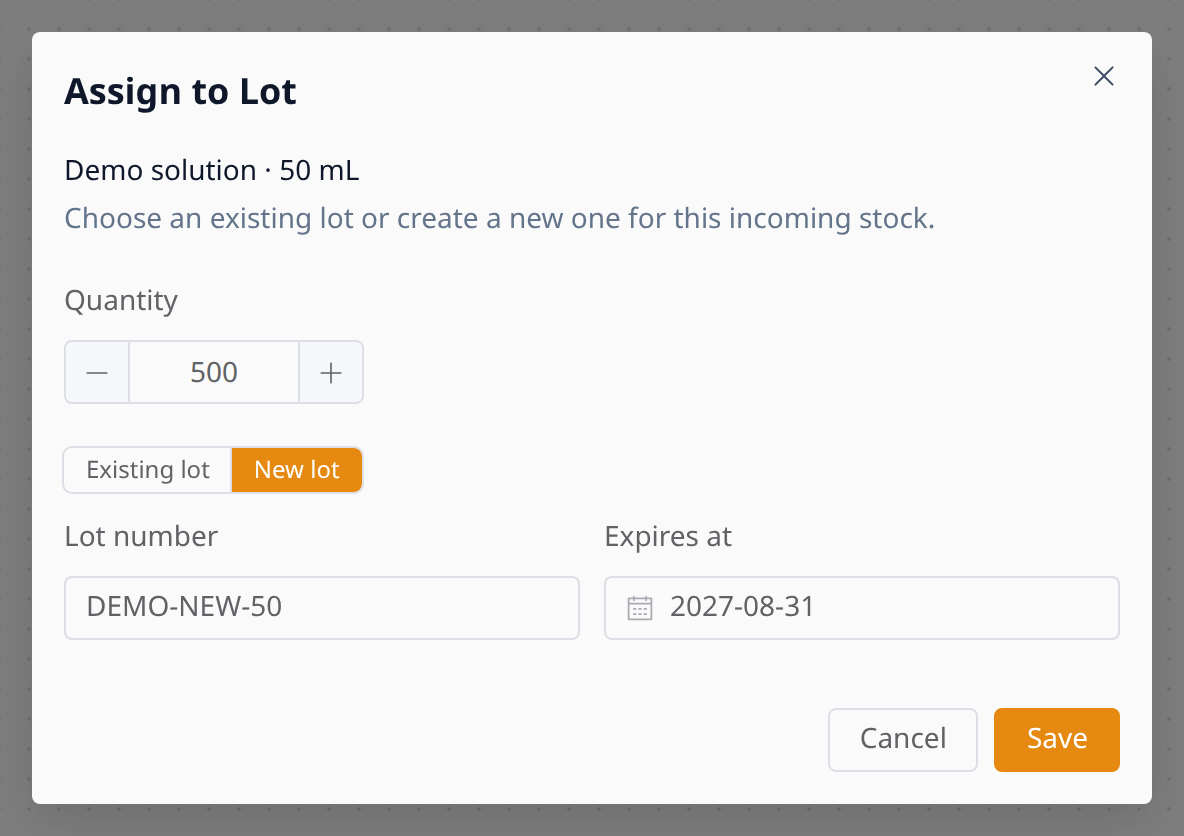
- Assign Existing lot or New lot and the correct expiry where required. Select the actual location when enabled.
- If the delivery is partial, stop before applying this expense handoff. Ask the Inventory Lead to review the purchase order, fulfillment and receipt evidence; this handoff cannot later receive a remainder against the same expense.
- Choose Actions → Save this row or Save all ready rows, then complete final review and Apply where shown. Use lot stages the lot choice; it is not the stock save.
- Inspect the item, lot, location and History. Check receipt status before later deliveries or retrying an interrupted operation.
Work through a clinic example
#Demo Clinic expects 10 vials but receives 6 today. At 50 mL per vial, today’s physical receipt is 300 mL. The remaining 4 vials are not stock on the shelf. Keep the supplier document and partial-delivery record consistent with the actual receiving workflow.
If the clinic already has 100 mL, a successful receipt of 300 proposes 400 mL before other movements. Review concurrent dispensing and location totals rather than blindly forcing that number.
The expense handoff is one-time per expense: any linked receipt marks that expense already received. Do not post a partial against the full expense and expect this same handoff to receive the remainder. For staggered deliveries, stop and have the Inventory Lead reconcile the purchase-order/fulfillment workflow and document each delivery before posting stock.
Change the numbers and check the result
Practice only · fictional examples. Does not change records or approve movements or payments. This simplified calculation excludes taxes, other movements and location allocations.
Common mistakes
#- Receiving the full invoiced amount when only part arrived.
- Adding package references to an amount already converted into inventory units.
- Repeating a received invoice because the response was interrupted.
Troubleshooting and recovery
#If a row says already received or needs history review, inspect earlier receipt and transfer evidence. Do not use a new blank adjustment to bypass the warning.
A batch may save some rows before another fails. Preserve the failed draft, inspect saved History and balances for each row, and ask Help when the outcome remains uncertain.
Check your understanding
#Ready to use this workflow
#Saved only in this browser. This is a personal practice checklist, not a clinic training record.
Related guides
- Related workflow guide
- Enter and review a supplier invoice
- Manage lots, expiration dates and locations
- Public manual
Source: Receive purchased stock and partial deliveries · Revision 2