How tier pricing works for inventory and services
Weight chooses the unit price for both; quantity multiplies it. Review boundaries, fallback and inventory package pricing.
Reviewed against current application source. Screenshots use fictional local training data.
Tiers choose a unit price; quantity multiplies it
#Inventory and services use the same weight-based tier selection. The patient/appointment weight selects the unit price; sold or rendered quantity then multiplies that price. Inventory tier pricing is NOT a flat total for any quantity sold, and quantity does not select a weight tier. Review discounts and taxes separately.
Agree the pricing rule
#Have permission to edit the catalog and an approved base price, weight ranges and per-unit tier prices. Confirm the inventory Unit and package price, or the service’s per-render price. Confirm whether customer prices include tax. Test a training estimate before applying the setup operationally.
Configure inventory tiers
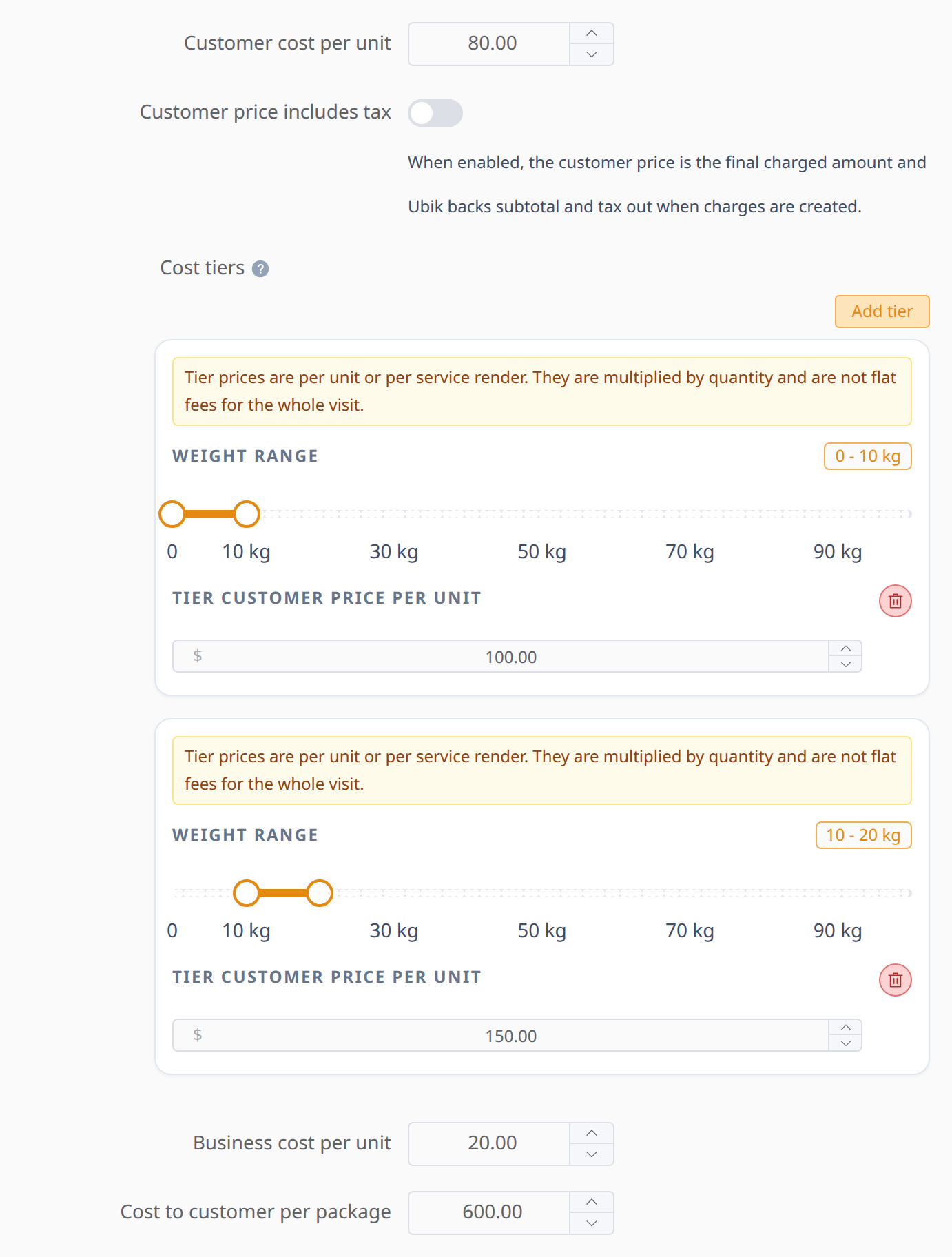
#- Open the saved inventory item → Edit. Review the base customer price per quantity, package price and weight-based cost tiers.
- Set each weight range and its unit price. Review row order and boundaries; both endpoints are included and the first matching saved tier wins. Avoid overlapping ranges unless that first-match behavior is deliberate.
- Save and check a new training estimate at the intended weight and quantity. Package-priced inventory uses its separate package price rather than the weight-tier quantity price.
Services use the same selector
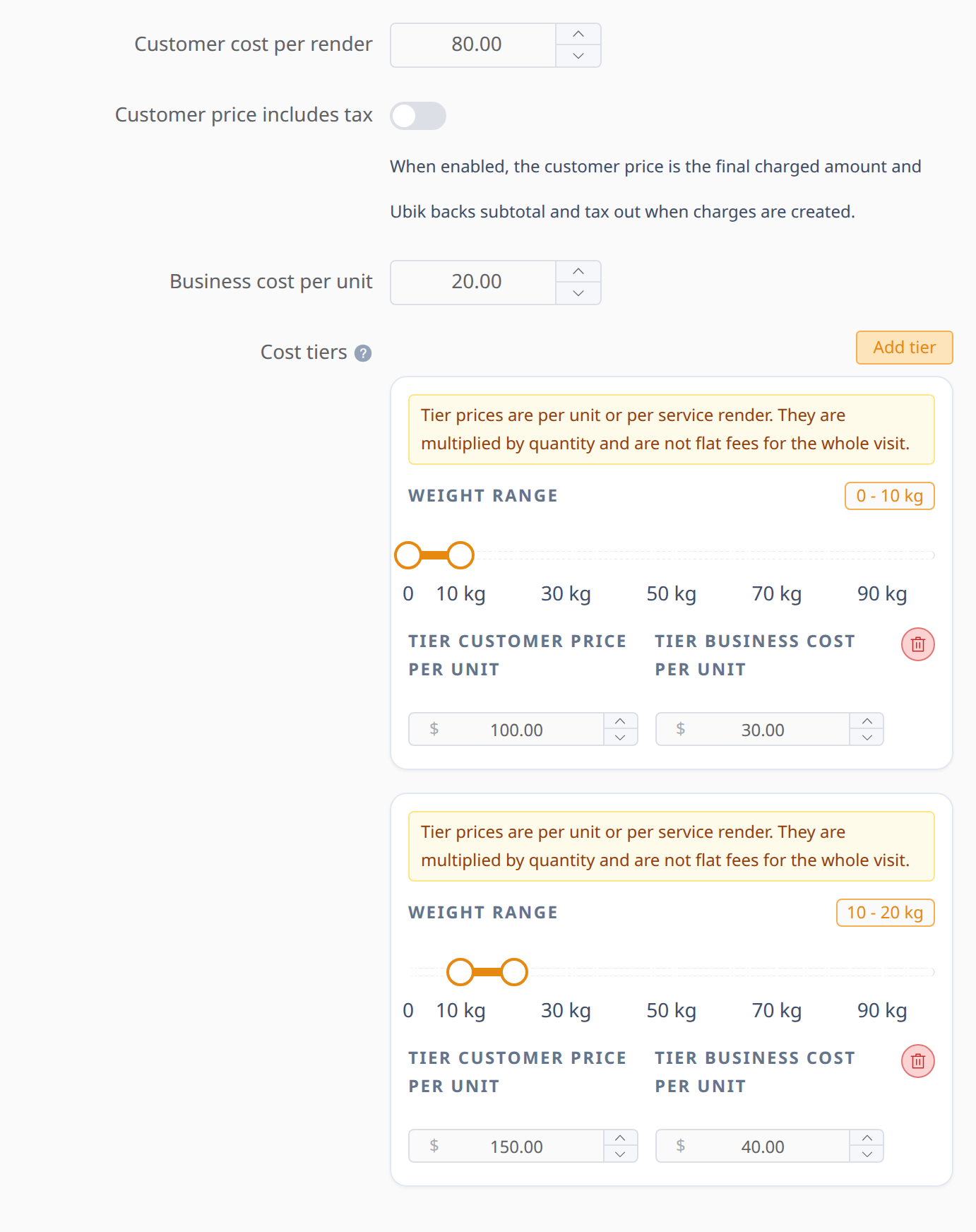
#In Services → Edit, configure the base per-render customer price and the same weight-tier ranges/prices. At a matched unit price of 150, one service render costs 150 and three cost 450 before applicable discounts/taxes. For inventory quantity pricing, one unit is 150 and three are 450 under the same rule.
Weight, fallback and boundaries
#A positive appointment weight is used first; a positive saved pet weight can be the fallback. Base price applies when there is no usable weight, no matching tier, no tiers or an invalid matched price. Continuing without an appointment weight does not guarantee base pricing if the pet has a usable weight.
| Example | Selected unit price |
|---|---|
| Base 80; tiers 0–10 kg → 100, 10–20 kg → 150 | Saved row order matters at shared 10 kg endpoint |
| 10 kg | 100 |
| 12 kg | 150 |
| 25 kg | 80 |
Check quantity 1 versus 3
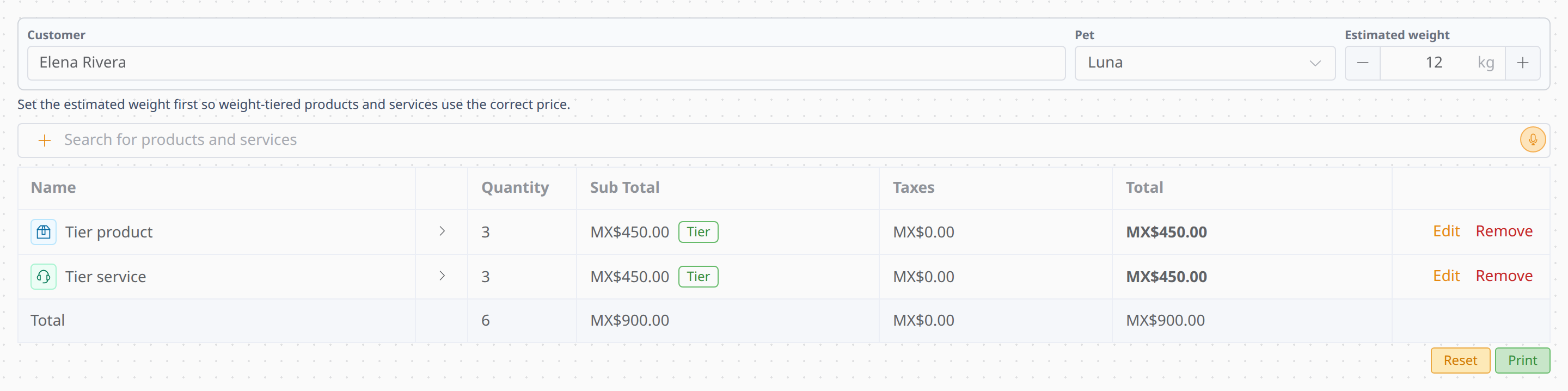
#At 12 kg the selected unit price is 150. Quantity 1 gives 150; quantity 3 gives 450 for either inventory units or service renders. The fictional estimate pictured has three inventory units plus three service renders: 450 + 450 = 900 before discounts/taxes. It does not charge 150 for all three units.
Common mistakes
#- Treating a tier unit price as a flat amount regardless of quantity.
- Using quantity to choose a weight range or forgetting the package-price exception.
- Expecting a catalog edit to rewrite historical paid or invoiced charges.
If a price looks unexpected
#Review appointment and pet weight, base price, matching row order, unit/package basis, quantity and tax-included setting. Compare a new estimate or item setup. Existing charges may need an authorized review rather than automatic repricing; preserve paid/CFDI history and do not change quantity merely to force a desired total.
Check your understanding
#Ready to apply this lesson
#Saved only in this browser. This is a personal practice checklist, not a clinic training record.
Related guides
- Configure services, prices and discount boundaries
- Prepare estimates and collect appointment deposits
- Create a counter sale in Reception or POS
- CFDI item setup: what your accountant should review
- Public manual
Source: How tier pricing works for inventory and services · Revision 2